Table of Contents
Introduction
Managing student loans can feel overwhelming, especially when you work in public service and just want to focus on helping others. The good news? There’s a program that may forgive your remaining federal student loans. It’s called Public Service Loan Forgiveness (PSLF) — and the easiest way to apply for it is with the pslf help tool.
So, what is the PSLF Help Tool exactly?
It’s an online tool, created by the U.S. Department of Education, that helps you apply for PSLF step-by-step. It’s available on StudentAid.gov and is here to make the process simple, clear, and faster than dealing with paperwork by hand.
In this full guide, we’ll break it all down for you. You’ll learn who qualifies, how to use the PSLF Help Tool, and what mistakes to avoid. Let’s make student loan forgiveness less confusing and more possible.
What Is Public Service Loan Forgiveness (PSLF)?
Before you use the PSLF Help Tool, you need to know what PSLF actually is.
Public Service Loan Forgiveness (PSLF) is a federal program for people who work in public service jobs. That includes careers like:
- Teachers
- Nurses
- Government employees
- Nonprofit workers
- Firefighters
- Military members
If you work full-time for a qualifying public service employer and make 120 payments over time, you may have the rest of your Direct Loan balance forgiven. That means you’re not required to repay those remaining loan dollars.
PSLF can be a life-changing benefit—but only if you apply correctly. That’s where the PSLF Help Tool makes a big impact.
What Is the PSLF Help Tool?
The PSLF Help Tool is an online application tool found on the official government website, StudentAid.gov. It helps borrowers complete and submit the forms needed for loan forgiveness under the PSLF program.
The tool walks you through the process one step at a time. It helps you:
- Check if your employer qualifies for PSLF
- Verify your eligibility
- Fill out your PSLF form
- Submit the form to the correct loan servicer
This tool simplifies the complicated paperwork and prevents common mistakes. The best part? It’s completely free and created by the U.S. Department of Education.
Where to Find the PSLF Help Tool
To get started, you need to know where to access the PSLF Help Tool.
Follow these steps:
- Go to StudentAid.gov
- Click the “Manage Loans” tab
- Select “Public Service Loan Forgiveness (PSLF)”
- Click “Use the PSLF Help Tool”
You’ll need to log in with your FSA ID (the same login you used for FAFSA or federal loan info). Once in, the tool asks questions about your jobs, employer information, loans, and payment history.
Don’t worry if it seems tricky. The tool explains every step in easy language.
Who Should Use the PSLF Help Tool?
If you have federal student loans and work in public service, you should try the PSLF Help Tool. It’s especially helpful if you:
- Are unsure if your job qualifies
- Don’t know what type of loans you have
- Want help filling out the PSLF application form
- Need to recertify your job for PSLF yearly
- Want to track your status and progress
Even if you’ve already submitted PSLF forms in the past, using the help tool can keep your records up to date. It’s also recommended to resubmit your employment certification form each year to stay on track.
Step-by-Step: How to Use the PSLF Help Tool
Using the PSLF Help Tool only takes about 20–30 minutes. Here’s a quick step-by-step guide:
Step 1: Log in to StudentAid.gov
Use your FSA ID and go to the official PSLF Help Tool.
Step 2: Enter your employer information
Fill in your company name and EIN number (you can find this on your W-2 form).
The tool will check if your job qualifies.
Step 3: Review your loan information
Confirm you have Direct Loans, and check your income-driven repayment (IDR) plan.
Step 4: Fill out the PSLF form
Answer simple questions about your work history and hours.
Step 5: Print and sign the form
You’ll either sign it online or print it to sign with your employer.
Step 6: Send it to your loan servicer
Use the instructions provided to send it to MOHELA, the official PSLF loan servicer.
That’s it! You’re now on your path to student loan forgiveness, and the PSLF Help Tool guided you the entire way.
How Often Should You Use the PSLF Help Tool?
You don’t just use the PSLF Help Tool once and forget it. To stay on track, the U.S. Department of Education recommends doing the following:
- Use it once per year to certify your employment
- Submit a new form every time you change jobs
- Use it any time you want to check your PSLF status
- Use it when you reach around 120 payments for forgiveness review
This regular schedule keeps your loan servicer updated and avoids any reporting mistakes. Plus, it gives you peace of mind knowing you’re staying on the right path.
Common Mistakes the PSLF Help Tool Can Help You Avoid
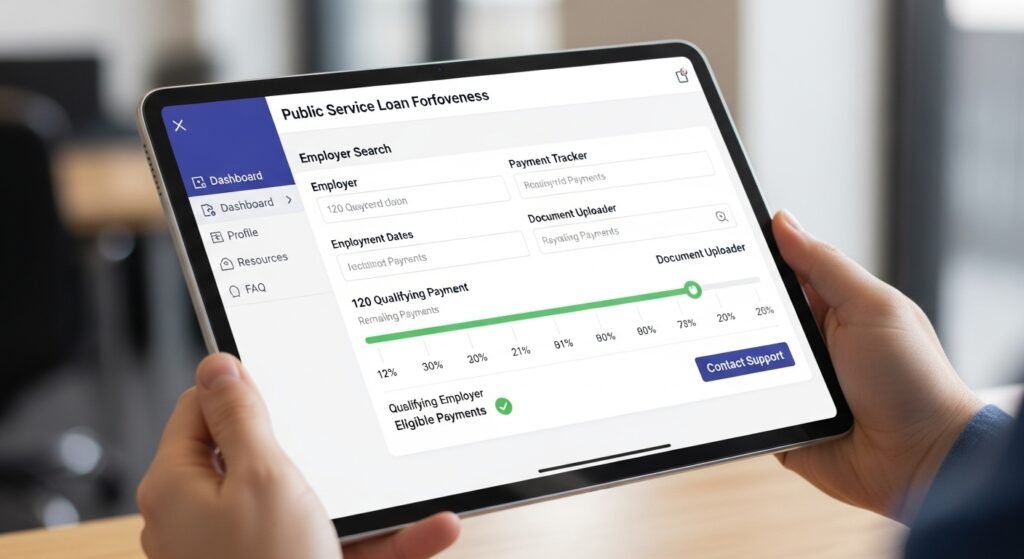
Many borrowers don’t realize that small mistakes can cancel their PSLF eligibility. Luckily, the PSLF Help Tool catches many of these before it’s too late.
Here are some common problems the tool helps you avoid:
- You’re on the wrong repayment plan (not income-driven)
- Your loans are not Direct Loans
- Your employer isn’t eligible for PSLF
- Your form is missing a signature
- You didn’t certify your hours correctly
By guiding you, the tool makes the process easier and safer so you don’t miss out on forgiveness.
What Is MOHELA and How Does It Work with PSLF?
MOHELA is the current loan servicer that handles paperwork and tracking for the PSLF program. Once you submit your employment certification using the PSLF Help Tool, your loans may move to MOHELA if they aren’t there already.
MOHELA is responsible for:
- Keeping track of your eligible PSLF payments
- Confirming your employer’s status
- Updating your payment progress
- Approving or denying forgiveness when you hit 120 payments
The PSLF Help Tool sends your form to MOHELA, and they’ll send you info back. Always check your MOHELA account for updates, especially after submitting new documents.
What Happens After You Submit Your Form?
Once you’re done with the PSLF Help Tool, what happens next?
Here’s what typically follows:
- MOHELA receives your form
- They verify your employment and payment history
- They update your PSLF payment count (you’ll see it on your account)
- If you qualify for forgiveness (after 120 payments), your balance will go to $0
You’ll also receive emails or letters showing how many payments count so far. Make sure your contact info is always up to date.
And don’t worry — if something doesn’t count, the letter usually explains why and how to fix it.
Can You Use the PSLF Help Tool for the Temporary Waiver or IDR Adjustment?
Yes! In recent years, the U.S. Department of Education has introduced special PSLF Waivers and IDR adjustments to help more borrowers reach forgiveness.
The PSLF Help Tool plays a key role in applying for these programs. For example:
- Under the Limited PSLF Waiver, past payments that wouldn’t normally count were made eligible.
- The IDR Adjustment offers credit for older, partial, or delayed payments on loans.
Make sure to check federal updates often and use the PSLF Help Tool to take advantage of all new benefits while they last.
Why the PSLF Help Tool Is Different from Other Student Loan Tools
There are lots of student loan tools and calculators out there. But what makes the PSLF Help Tool special is how dedicated it is to real forgiveness.
It isn’t just for planning or estimating. It’s your actual way to:
- Apply for forgiveness
- Track your public service work
- Send forms directly to the loan servicer
- Get proof of your progress
Also, because it comes directly from the Department of Education, you know it’s accurate and safe.
No ads. No upsells. Just real help for real borrowers.
FAQs
1. Is the PSLF Help Tool free to use?
Yes, the PSLF Help Tool is totally free. You’ll find it on the official StudentAid.gov website.
2. Can I fix past mistakes using the PSLF Help Tool?
Yes, updates like the IDR Adjustment and Temporary Waiver allow older payments or past jobs to qualify.
3. How long does the PSLF Help Tool take to use?
Most users finish it in under 30 minutes. Just have your job and loan info ready.
4. What if I have loans with different servicers?
If eligible, your loans may transfer to MOHELA once your form is processed through the tool.
5. Does the PSLF Help Tool guarantee loan forgiveness?
No guarantees, but it helps prevent common errors that could hurt your chances. It’s the best tool we have.
6. Can I use the PSLF Help Tool on my phone?
Yes, it works on computers and mobile devices. A larger screen may help navigate more easily, though.
Conclusion
If you work in public service and have student loans, the PSLF Help Tool might be the most helpful thing you can use right now.
It clears up confusion. It saves time. And most importantly, it helps you take one big step closer to loan forgiveness.
Maybe you’re just starting out. Maybe you’ve been making payments for years. Either way, the PSLF Help Tool was made for people like you – people who serve their communities and deserve peace of mind about their loans.
Go to StudentAid.gov today. Log in. Use the PSLF Help Tool. You might be closer to $0 loan balance than you think!